
Building a Website for Your Ski Resort
Your ski hill's website is often the first place guests check before heading to the slopes. They want to know: Is the resort open? How are the snow conditions? Which lifts are running? A well-built ski resort website answers these questions instantly and keeps visitors coming back throughout the season.
Building a ski hill website involves two main parts: choosing a content management system (CMS) for your static pages, and implementing a solution for your dynamic, frequently-updated content like snow reports and operating hours. This guide walks you through both.
Step 1: Choose a Content Management System
A CMS is the foundation of your website. It's where you'll build your pages, manage your navigation, and update content like pricing, resort information, and contact details. The good news is that any CMS works with ski hill website software like MtnManager—so you can choose based on your team's needs and technical capabilities.
No-Code Options
If you don't have a developer on staff, these platforms let you build a professional website without writing code:
Developer Options
If you're working with a web developer or agency, these platforms offer more flexibility and customization:
With your CMS, you'll create pages that don't change often—pricing, pricing information, resort information like trail maps, and contact pages. These pages form the backbone of your ski hill website.
Step 2: Understand Your Most Important Pages
While every page on your website matters, data shows that two types of pages get the most traffic on ski resort websites: operating hours and snow conditions.
Guests check these pages constantly—during planning, before their visit, and even while they're on the slopes. If this information is outdated or hard to find, you'll frustrate potential visitors and field endless messages or phone calls.
The challenge: Your hours and snow report need to be updated frequently—sometimes multiple times per day. Using your website's CMS for these updates is slow, requires logging into a desktop interface, and needs someone with CMS access.
This is where dedicated ski hill website software becomes essential. You need a system that's built specifically for the unique operational needs of a ski resort.
Step 3: Add Snow Report Software
MtnManager is a web platform built specifically for ski resort operations. It gives your team a dedicated admin dashboard to manage all your hill's real-time information: snow conditions, lift and run status, operating hours, and more.
Key features that make daily operations easier:
- Mobile-friendly dashboard — Update conditions from the lift shack, the grooming cat, or anywhere on the hill
- Team access — Invite your operations staff with role-based permissions so everyone can contribute directly
- Instant updates — Changes go live instantly on your website, no CMS publishing required
- Automated calculations — Log snowfall and let MtnManager handle the math for 24 hour, 48 hour, weekly, and season totals.
- Integrated weather data — Current weather and forecasts sync automatically from public weather services for your exact location.
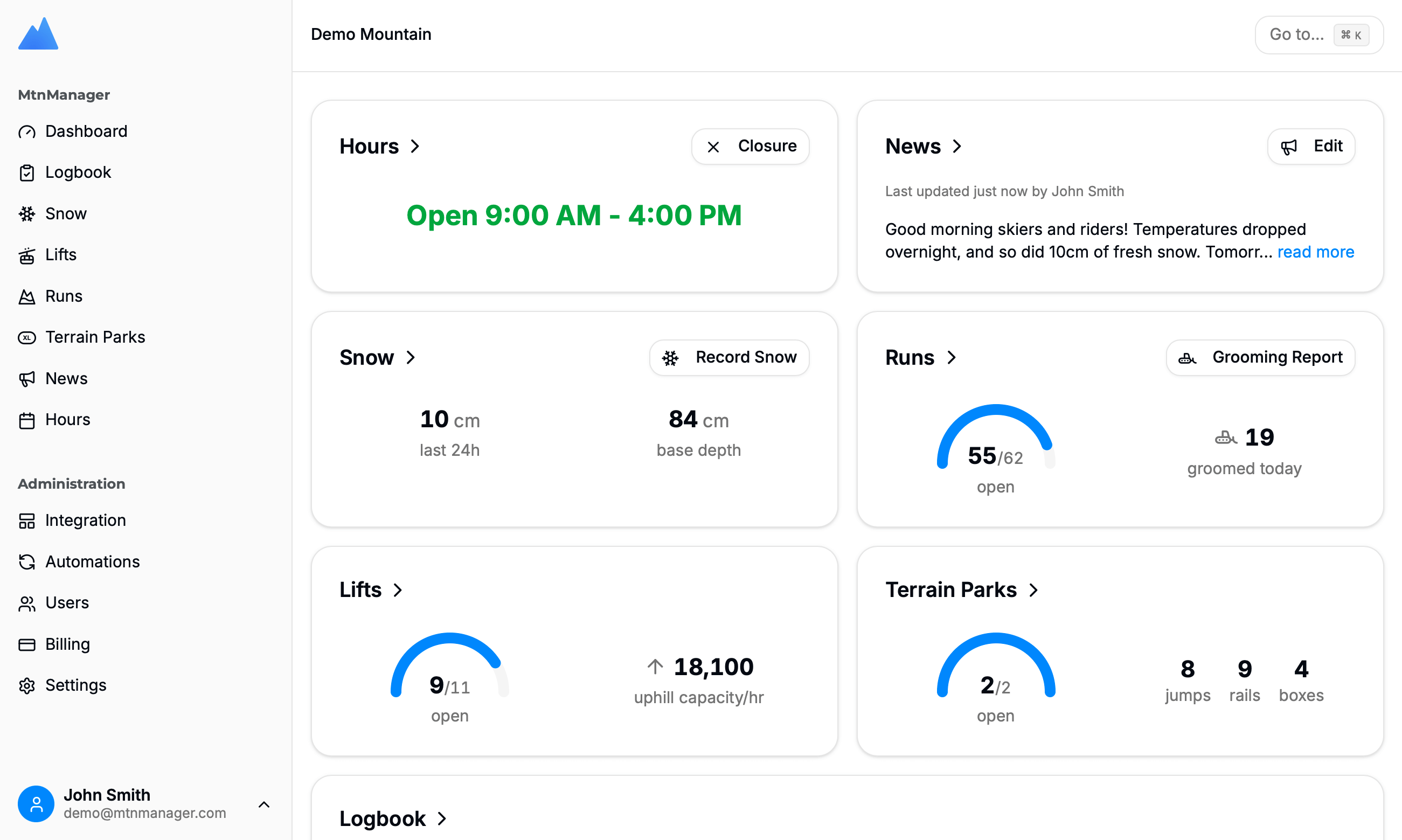
The MtnManager dashboard gives your team complete control over your snow report.
Step 4: Display Hours and Snow Report on Your Website
Once your data lives in MtnManager, displaying it on your website is simple. Create your Hours and Snow Report pages in your CMS like any other page, then embed MtnManager's hosted widgets by copy and pasting just two lines of code.
Operating Hours Widget
Add the hours widget to display your current operating schedule, including calendar:
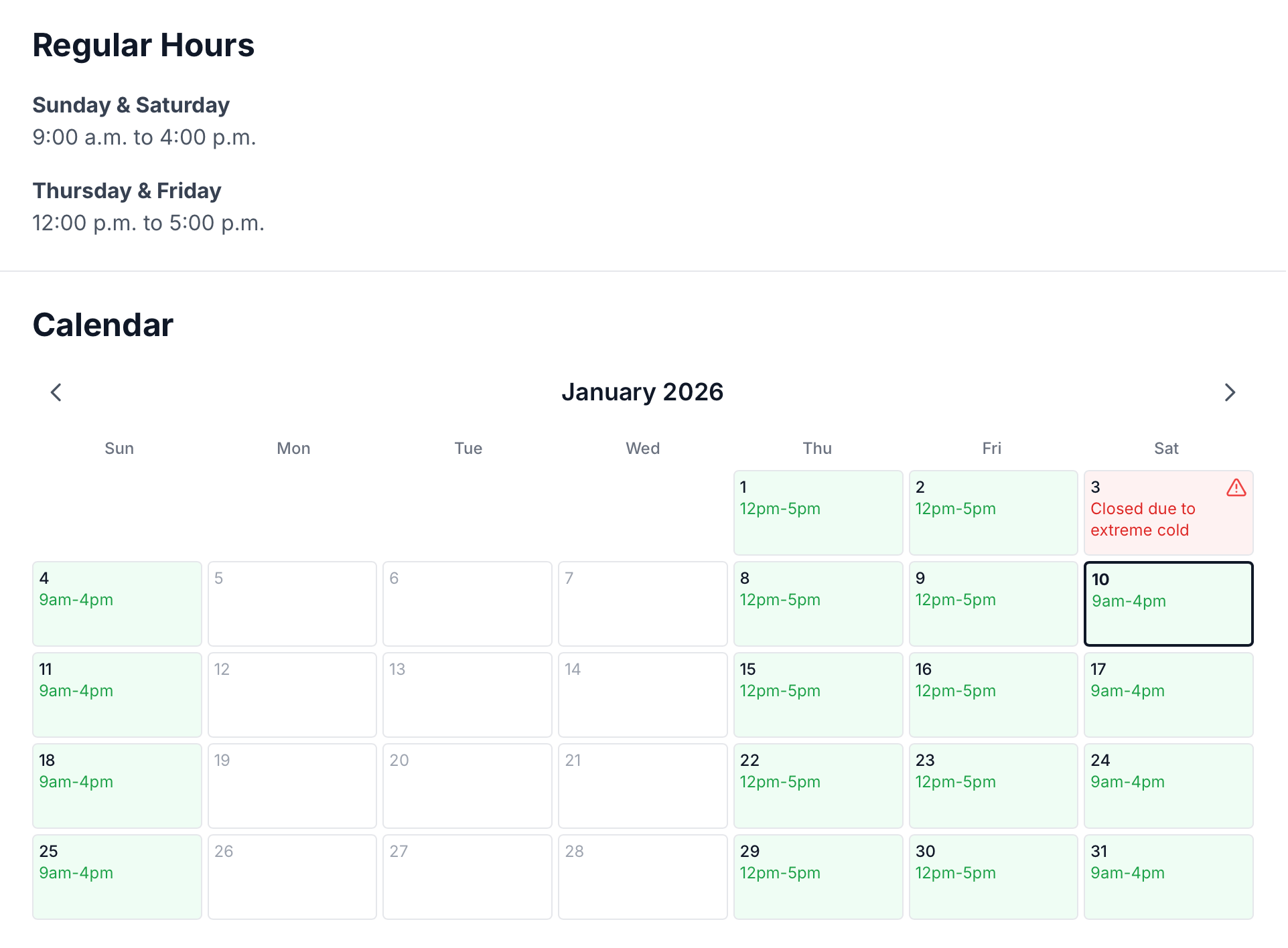
The hours widget displays your current schedule and calendar view of daily hours.
Snow Report Widget
The snow report widget displays current conditions, recent snowfall, weather, and trail/lift status:
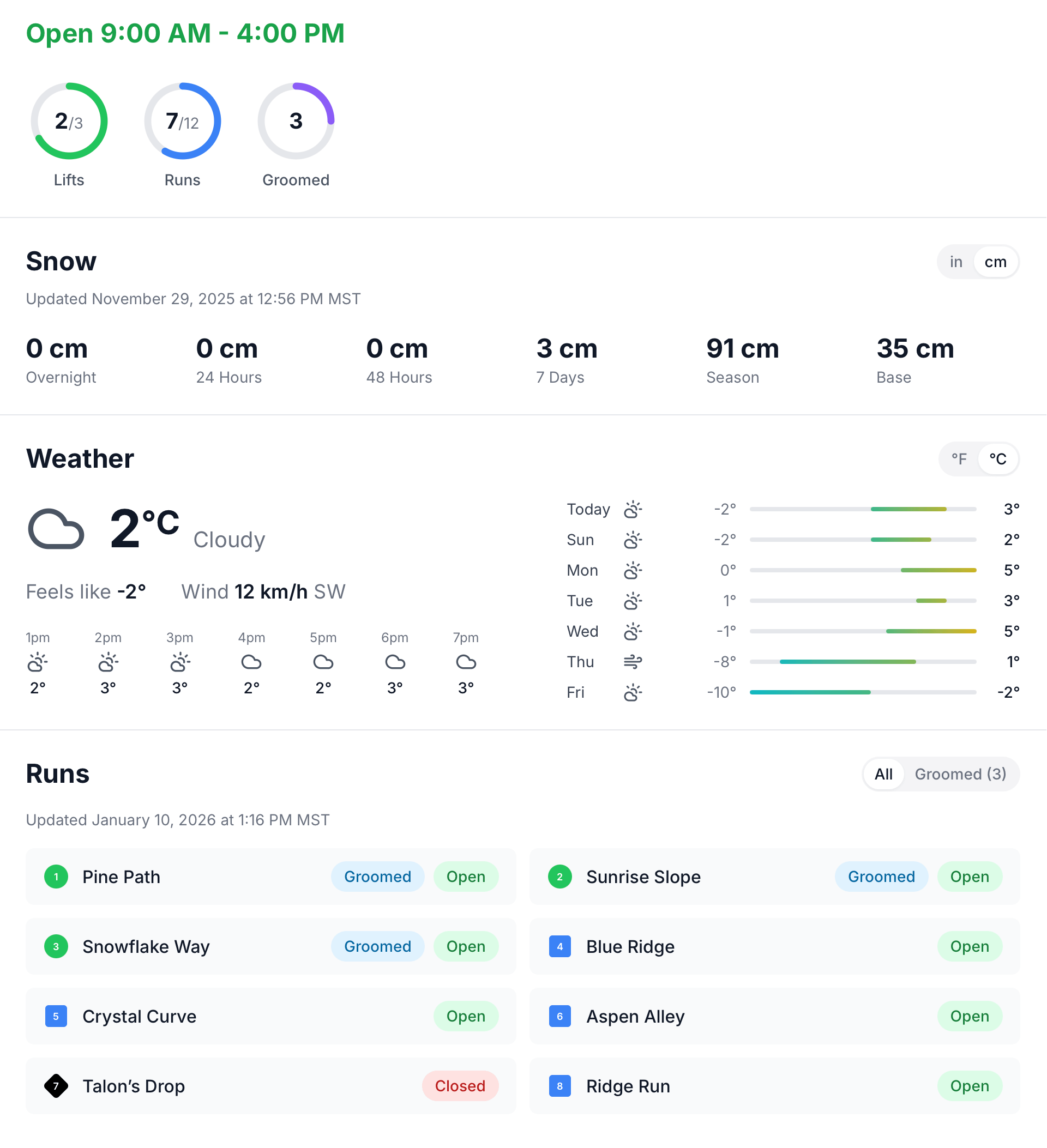
The hosted snow report widget provides a professional, pre-designed display for your conditions page.
The hosted widgets offer several advantages:
- Professional design — Clean, responsive layouts that look great on any device
- Zero maintenance — We handle updates and improvements automatically
- Copy-paste installation — Works with any CMS or website builder
- Always current — Data updates in real-time as your team makes changes
- Customizable — Set the styling to match your website, and select which data is displayed
Need more control? MtnManager also provides a full API if you want to build custom website components or integrate snow report data into mobile apps, digital signage, or other systems. View API documentation →
Bringing It All Together
A great ski hill website combines a solid CMS foundation with specialized snow report software. Your CMS handles the pages that change infrequently—pricing, resort info, etc—while MtnManager powers the dynamic content your guests check most often.
The result is a website that:
- Keeps guests informed with accurate, real-time information
- Reduces phone calls and social media messages
- Empowers your operations team to update conditions from anywhere
- Looks professional without requiring constant maintenance
Whether you're building a new ski resort website from scratch or upgrading an existing one, the combination of a modern CMS and dedicated ski hill website software will serve your guests and your team well for seasons to come.